Highwind

A free, powerful Windows desktop application for monitoring, managing, and diagnosing Microsoft Defender for Endpoint — built with WPF and .NET 8

✓ Free & Open Source   ✓ No Account Required   ✓ Windows 10/11   ✓ .NET 8

Previously released as MDE Toolkit — renamed to Highwind in 3.5.0. Same tool, same maintainer; existing policy configuration migrates automatically.

The biggest additions in recent releases. All are built for the same question: is this machine safe right now, and if not, what do I do about it?

New v3.5.0

🕒 Settings history and change tracking

Highwind quietly records the machine’s security configuration every few hours and keeps a rolling 30 days. “What changed on this machine?” stops being a question nobody can answer.

  • Catches what Windows never logs. The firewall profiles, App Control, Device Guard, BitLocker, Remote Desktop and the PowerShell policy emit no event at all. Comparing snapshots finds them anyway — and does not depend on an event log that may have already wrapped.
  • Tells you if you are worse off. “Controlled folder access was switched off on 9 September”, with a plain statement that this left the machine less protected than it was.
  • Explains the setting, not just the change. Where it lives in Intune and Group Policy, what the values mean, what usually causes it to move — and a live check of what is enforcing it right now.
  • Ask over any period. The last 24 hours, five days or thirty. Snapshots are taken by the system, so it does not matter who was signed in when it happened.
See what it does →
New

🛡️ App Control, end to end

Find out what App Control would block in your environment — then build a policy from what you find. Pulls the Code Integrity events your tenant already generates, compares them against real policy files, and tracks a decision against every application.

  • Answers “what will break?” Every event scored Allowed / Would Still Block / Denied against the policies you actually have.
  • Decisions that persist. Record Allow / Block / Defer per application with an owner and rationale — work survives re-queries, restarts and vendor updates, and merges across admins from a shared file.
  • Built for large estates. The 30-day window is collected in adaptive shards, and you choose how far to collapse rows so one app isn’t one row per user.
  • Allow or block. Use it to author a permit policy, a deny policy, or just to survey before committing to anything.
Read the guide →
Updated v3.3.1 & 3.3.2

⚔️ Attack Surface Reduction, rebuilt

ASR rules now get a proper workspace: one grid that tells you what mode every rule is really in and where that setting came from, plus a new Events page for investigating what got blocked and safely tuning it.

  • See the truth, not the registry. Rule state is merged from Intune, Group Policy and Defender itself — rules set locally no longer show as “Not Configured”.
  • Know who set it. A new Source column tells you whether a rule came from Intune, GPO, or someone typing on that machine.
  • Investigate blocks. Repeats are grouped by rule and process, so 400 blocks of one app read as one tuning problem.
  • Exclusions that expire. Create a 4-hour or 30-day exclusion with a required justification — it reverts itself even if the app is closed.
See what changed →
New Preview

🔎 Machine Investigator

Type in up to 25 device names and get a one-page verdict for each — healthy, needs attention, or investigate now — with the evidence and the fix attached. No hunting queries to write.

  • One click, sixteen questions. Vulnerabilities, alerts, odd processes, logon failures, persistence and config gaps, gathered in a single pass.
  • A verdict you can act on. 🟢 / 🟡 / 🔴 with a one-line reason, then the facts behind it.
  • Every finding comes with a fix. Click a row for the PowerShell, Intune and GPO remediation.
  • No AI required. The default engine is deterministic local rules — nothing leaves your machine and every claim traces to a data row.
How it works →

Everything You Need to Monitor & Manage MDE

One tool to view, analyze, diagnose, and manage your endpoint security configuration

📊

Endpoint Posture Score

Comprehensive security posture assessment with actionable recommendations, category breakdowns, and priority-based remediation guidance.

🛡️

App Control (WDAC)

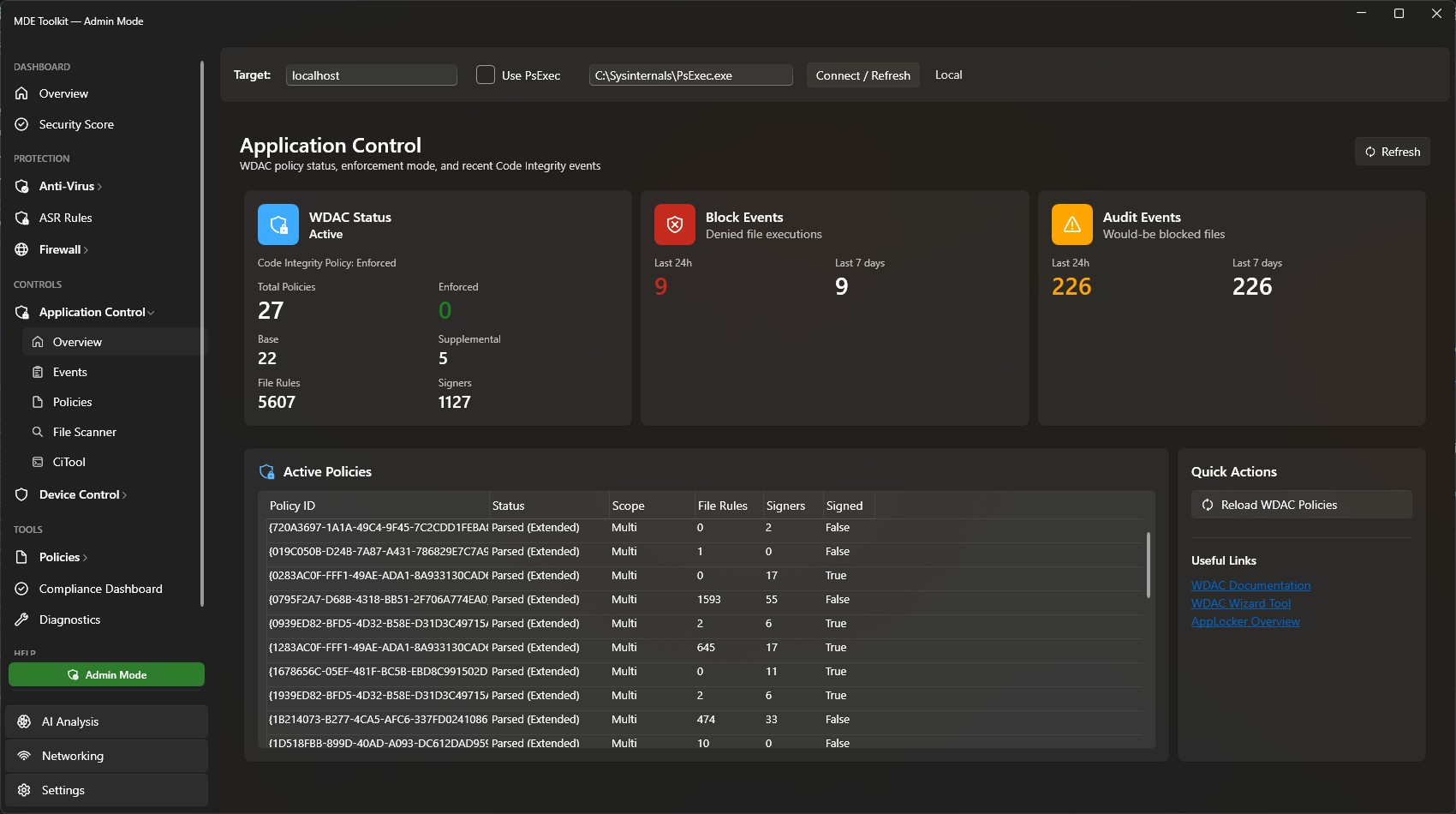
View deployed WDAC policies, scan files against policy, run CiTool commands, and analyze Code Integrity configuration.

💾

Device Control

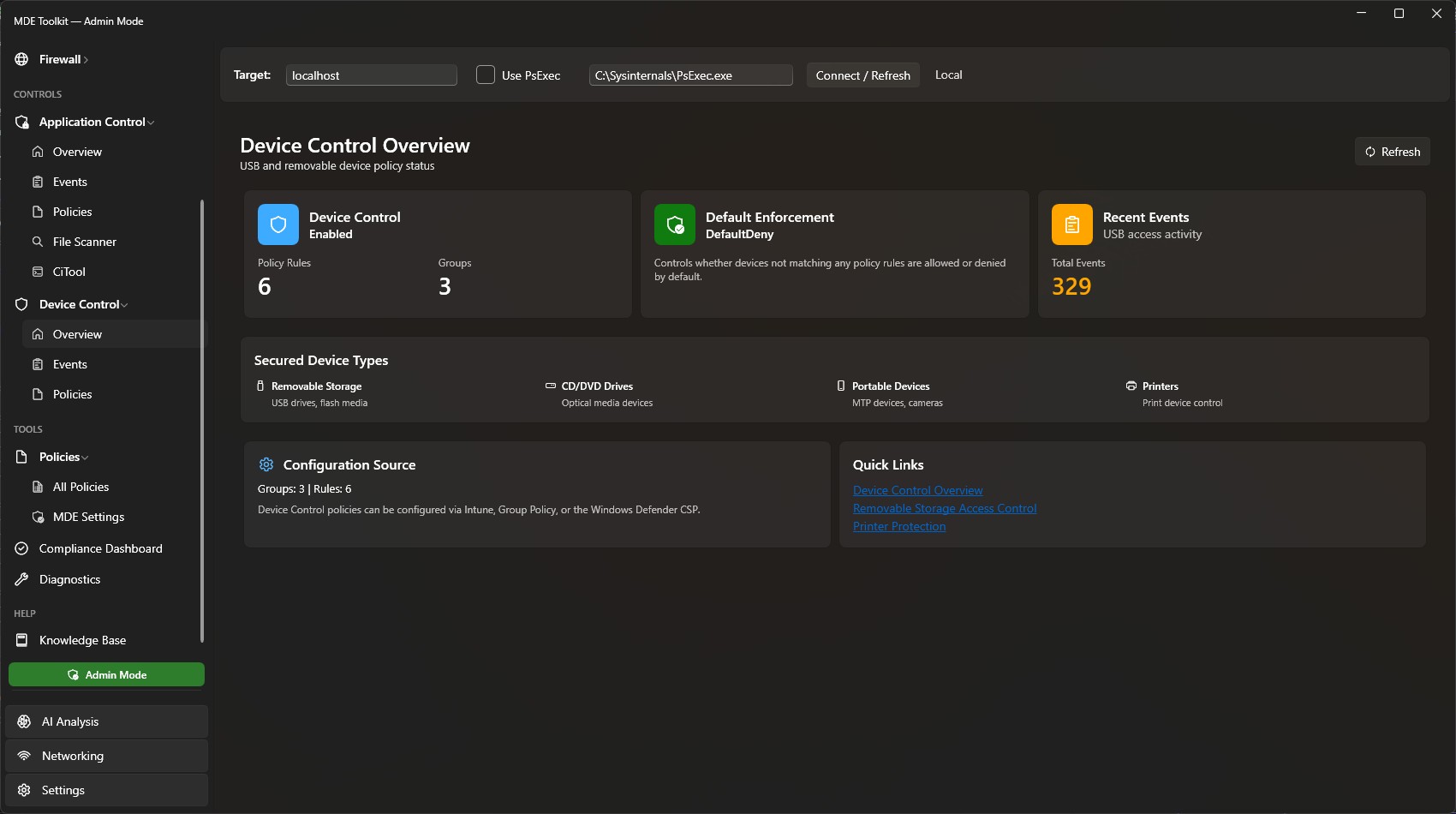
Manage USB and removable device policies. View, create, edit, and export device control configurations with a visual policy editor.

⚔️

ASR Rules

See every Attack Surface Reduction rule's enforcement mode and whether it is pushed by Intune/GPO or set locally. Investigate blocks and warn-bypasses grouped by rule and process, then create audited permanent or auto-expiring exclusions. Learn more →

🔎

Machine Investigator Preview

Triage up to 25 devices at once from Advanced Hunting. Each one gets a plain-English verdict, the evidence behind it, and copy-paste remediation. Learn more →

🔥

Firewall & WFP

Parse firewall logs, view WFP filter summaries, browse firewall rules, and analyze network policy enforcement.

🔍

Diagnostics

Analyze Defender support bundles (MpSupportFiles.cab), parse logs, detect issues, and export diagnostic reports.

🕒

Settings History & Change Tracking

A SYSTEM task snapshots the machine's security configuration every 8 hours and keeps a rolling 30 days. Highwind AI reports what changed, when, whether protection was reduced, and where that setting is configured in Intune, Group Policy or the registry.

🤖

Highwind AI

Ask about a machine in plain English — its status, what changed, threats, or how a Defender feature works — and get an answer with its sources attached. Runs on a local engine with nothing leaving the machine; connect Azure OpenAI or OpenAI if you want richer wording.

🌐

Network Tracing

Capture network traces with netsh, configure scenarios and providers, and auto-stop on firewall drops with the built-in drop monitor.

Compliance Manager

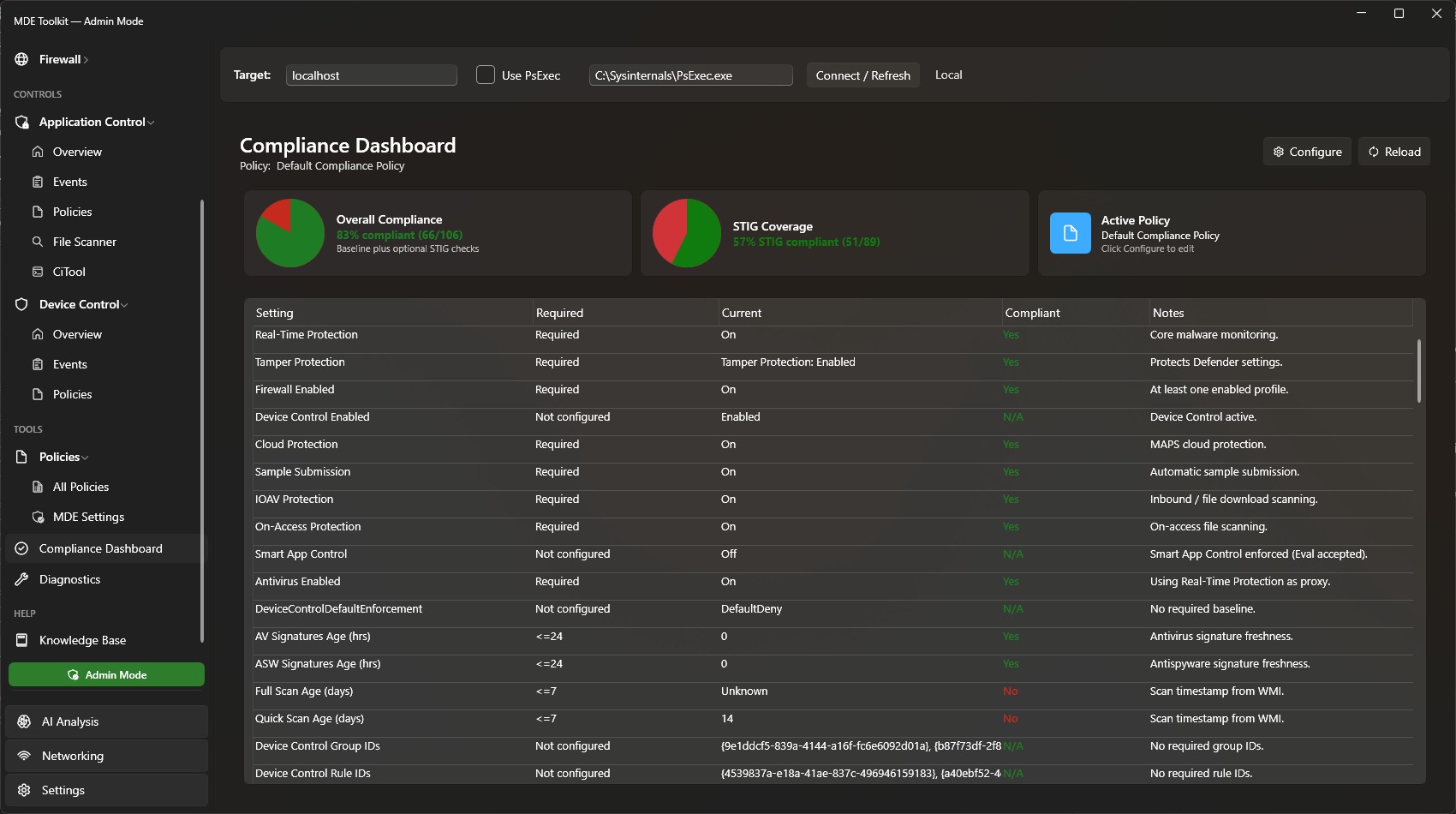
Create and evaluate compliance policies against your endpoint, including DISA STIG baselines for Defender AV and Firewall.

🖥️

CiTool Integration

Run CiTool.exe commands directly from the app — list policies, refresh CI engine, get device ID, and view live streaming output.

📡

Remote Support

Connect to remote machines via WinRM or PsExec to monitor and diagnose MDE on other workstations across your network.

📚

Knowledge Base

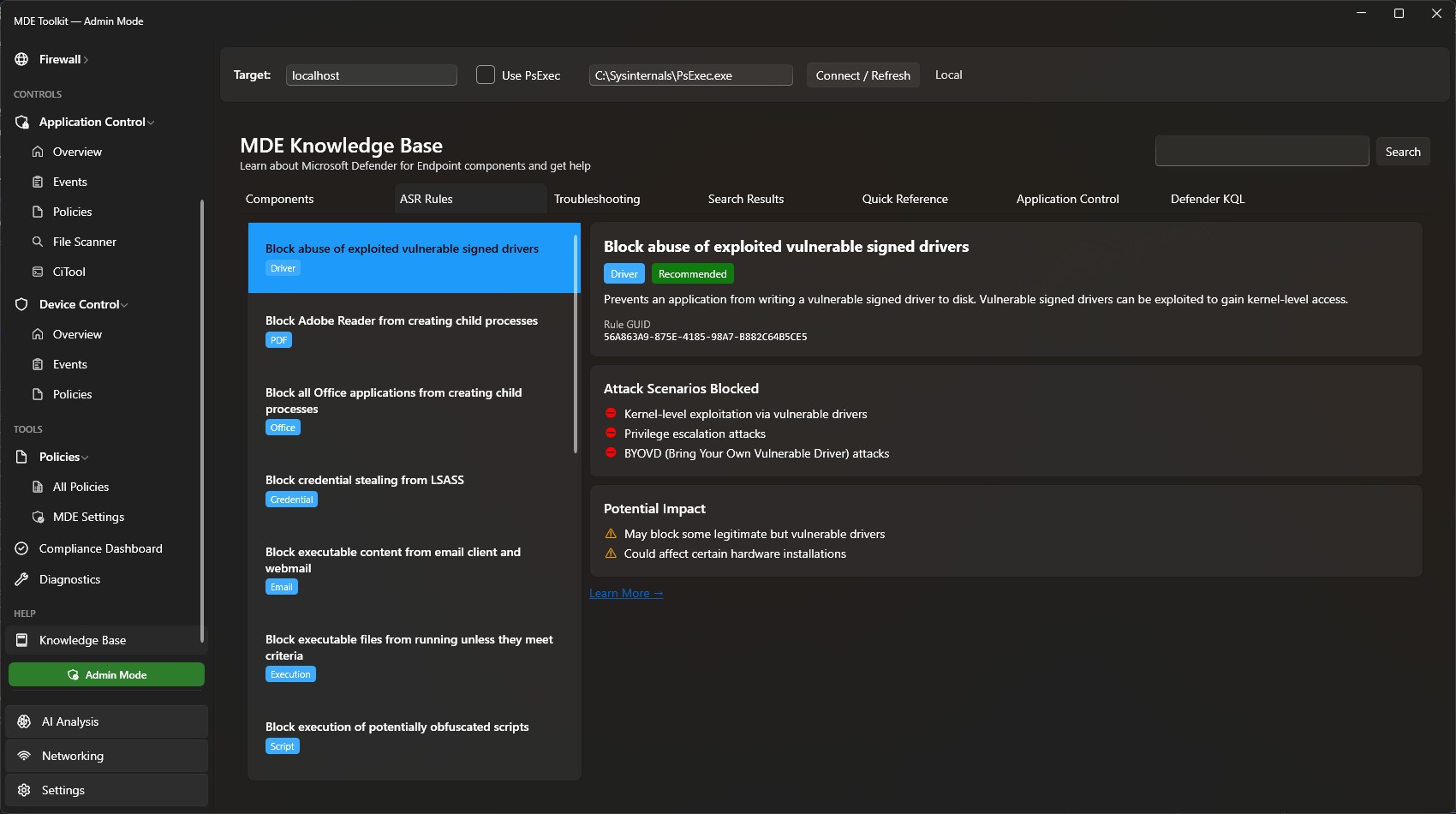
Built-in reference for MDE components, ASR rules, and troubleshooting scenarios with links to official documentation.

🏢

Enterprise Fleet Monitoring

Deploy via MSI with dual scheduled tasks: SYSTEM collects telemetry every 8 hours, the logged-on user uploads to Azure using their Entra identity. No secrets on endpoints. Collection is local by default — nothing is uploaded anywhere until you configure an endpoint.

☁️

Azure Ingestion

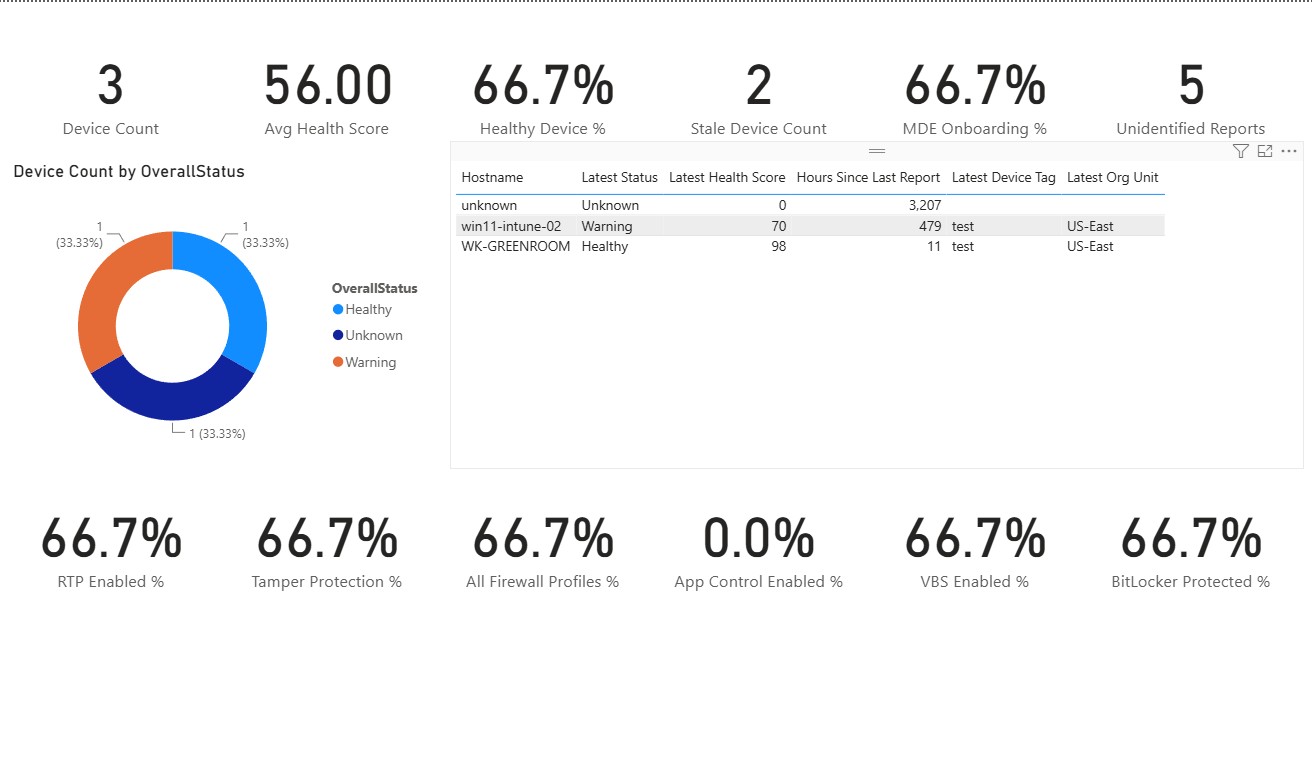
Upload health snapshots to an Azure Function App or directly to Blob Storage. Managed Identity auth, Table Storage for Power BI dashboards, Gov Cloud supported. See the dashboard →
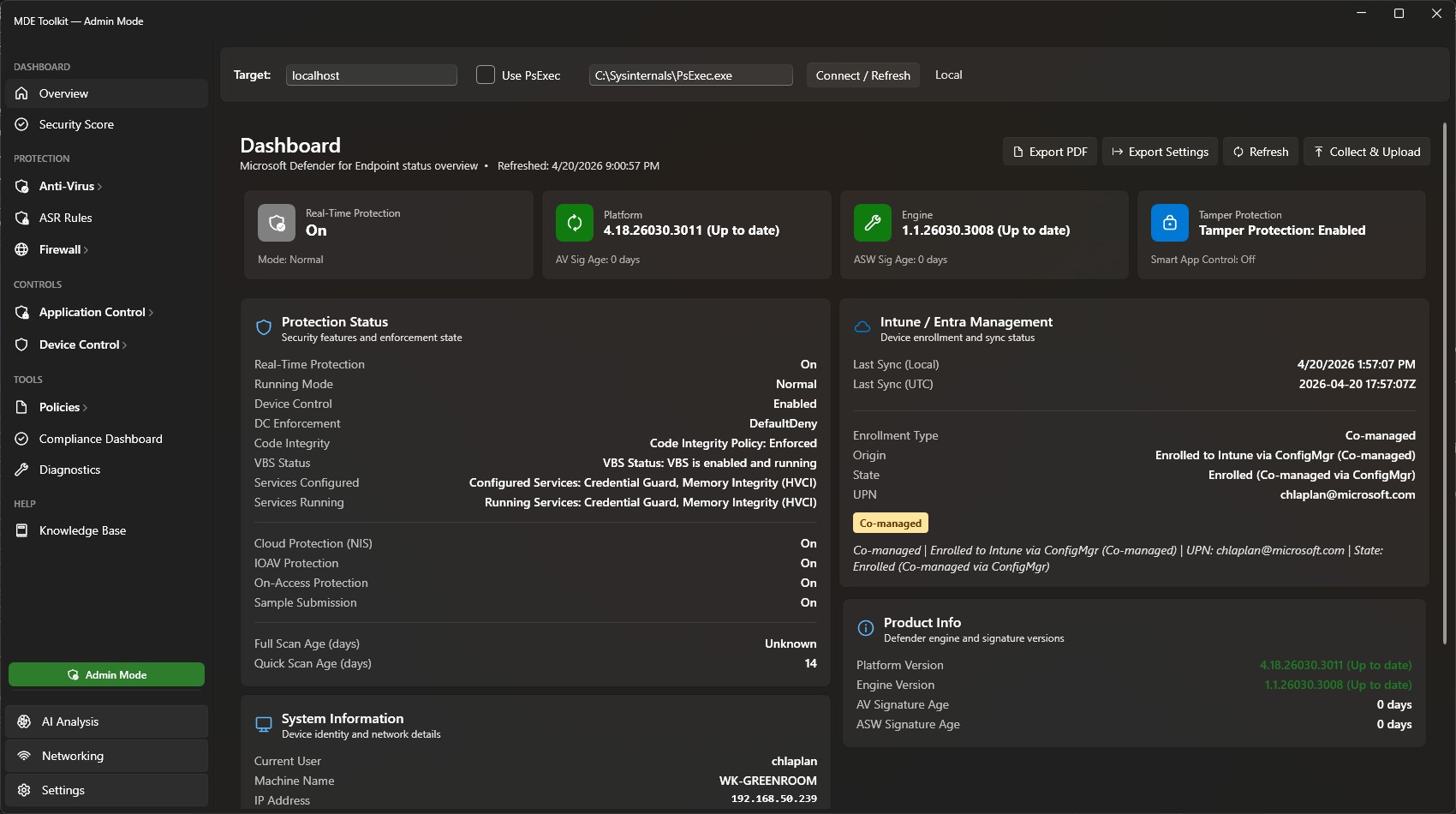
See It In Action

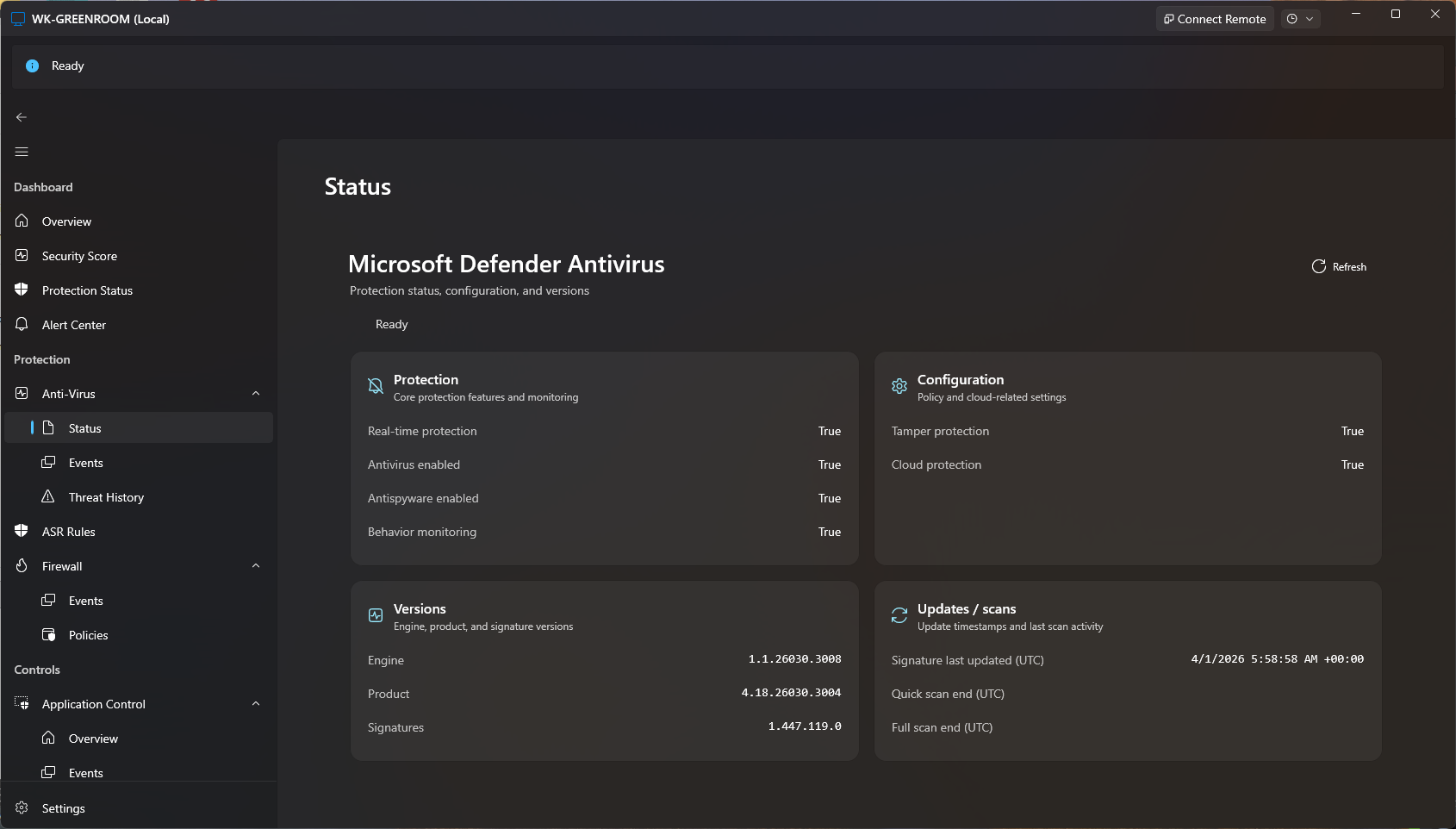
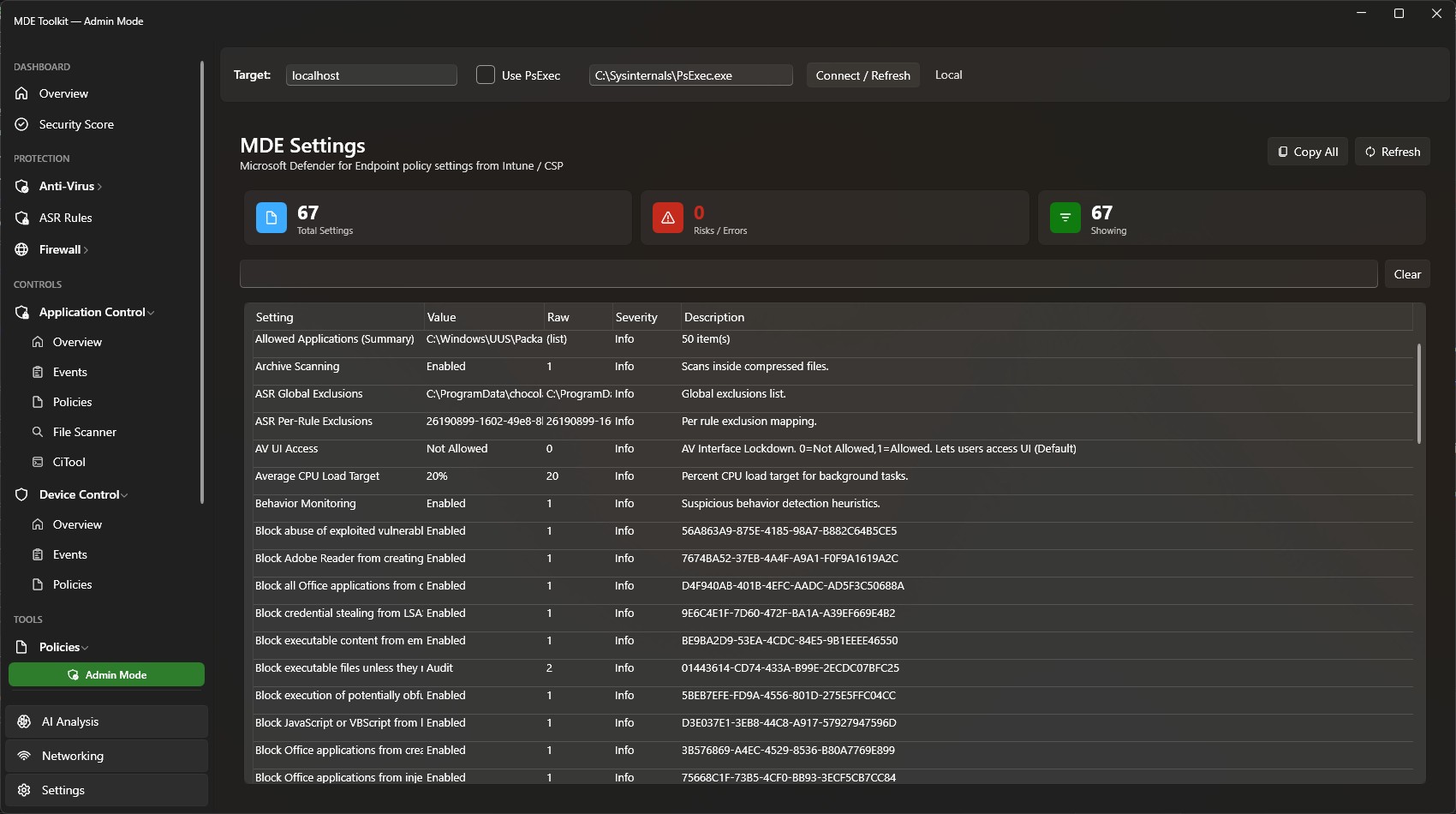
Modern Fluent WPF interface with Mica backdrop, designed for Windows 10 & 11

Download Highwind

Free and open source. No account required.

Recommended
📦

GitHub Releases

Download the latest build from GitHub

Download from GitHub

Version 3.5.0 · What's new

🛠️

Build from Source

Clone the repository and build with .NET 8 SDK

View Source on GitHub

Requires .NET 8 SDK

System Requirements

  • ✓ Windows 10 version 1809 or later / Windows 11
  • ✓ .NET 8 Desktop Runtime
  • ✓ Administrator privileges recommended for full functionality
  • ✓ CiTool.exe requires Windows 11 22H2+ or Windows Server 2025+